Manage trade jobs digitally, from intake to billing
AuftragsDesk brings orders, customers, appointments, documents and material together in one place. Office and field staff always see the same status, without paper slips, spreadsheets and phone calls.
When jobs are scattered across paper, emails and spreadsheets
An order arrives by email, the appointment is in a calendar, the photos are on a phone and the hours on a slip of paper. In the end some information is missing and the office calls the installer. Central job management ends that: every order has a number, a status and a history where everything comes together.
What it looks like in AuftragsDesk
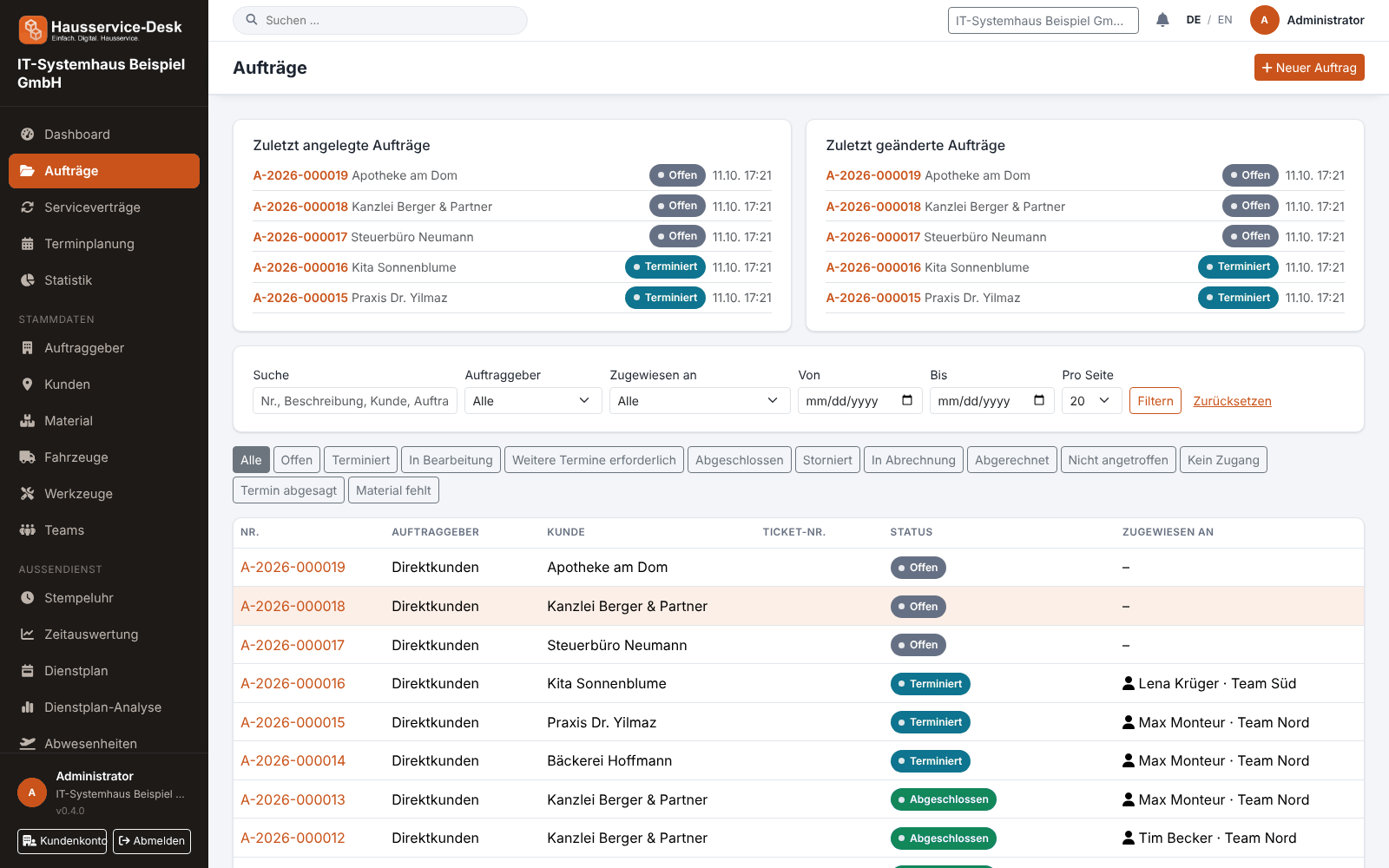
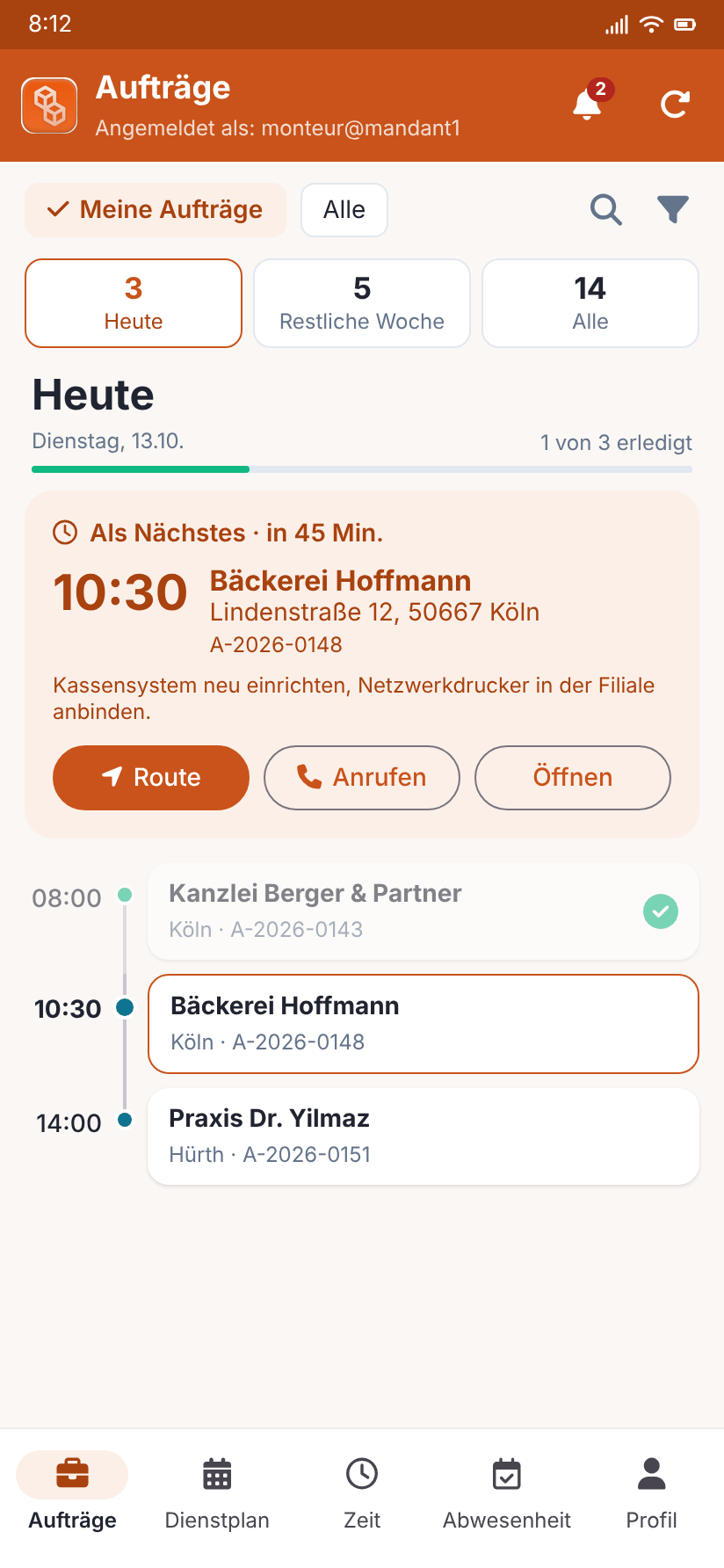
Views with sample data.
What AuftragsDesk does for you
Clear order status
Open, scheduled, in progress, completed, in billing: every order goes through a traceable workflow. Each status change is recorded with date and user in the status history.
Clients and customers
Manage clients and job sites separately. For each client you decide whether fixed ticket and order numbers apply or freely named additional fields are recorded.
Assign to employees or teams
Assign orders to individual employees or whole teams. Whoever is assigned gets a notification and sees the order right away.
Documents and material on the order
Upload files to the order, book consumed material and download the order with its documents as a PDF summary or ZIP.
Search and filter
Find orders by number, customer, client or ticket number and filter by status.
Roles and permissions
Define per role who may view, create, edit or change the status of orders. The data of each business is strictly separated.
How it works day to day
Create the order
Enter client, customer and description, optionally with appointment and assignment.
Execute and document
The installer clocks in, books material and creates the installation report with photos and signature.
Complete and bill
Set the order to completed and move it to billing. Everything stays traceable in the status history.
Frequently asked questions
Which businesses is job management suited for?
Trade and service businesses with field staff, for example electrical, plumbing, heating, building services or facility services. Whether a small team or a larger business: you choose the plan that fits your way of working.
How does job management connect to billing?
Orders go through the statuses “In billing” and “Billed”. sevDesk is already connected for accounting; other providers are planned.
Who sees which orders?
Employees see their own orders or those assigned to their team, the office sees all of them. You control this through roles and permissions.
More solutions
Time tracking
A digital time clock right on the order, with breaks and reports per employee.
Installation report
Photos, hours and signature right on the order, as a PDF download.
Roster & scheduling
Shifts, appointments and absences in one plan, with planned-vs-actual comparison.
Material, fleet, tools
Stock, vehicle deadlines and inspection dates at a glance, with reminders.
Service contracts
Maintenance and facility services on a fixed schedule, with subscription billing and direct debit.
App for technicians
Everything for the job on one page: contact, route, workflow and job report.
Staff management
Personnel file, leave account, working time account and deadlines for IDs and certificates in one place.
Ready to try it?
Register, choose the plan that fits your business and get started. Cancel monthly, no setup fee.