Material, vehicle and tool management for tradespeople
Keep stock levels, vehicle deadlines and tool inspections in view. AuftragsDesk alerts you in time before stock runs low or an inspection, service or test is due.
Forgotten deadlines, material missing on site
An expired vehicle inspection, a DGUV V3 test that is due or missing material cost time and, in the worst case, trouble. When stock and deadlines are maintained centrally, this is noticed early.
What it looks like in AuftragsDesk
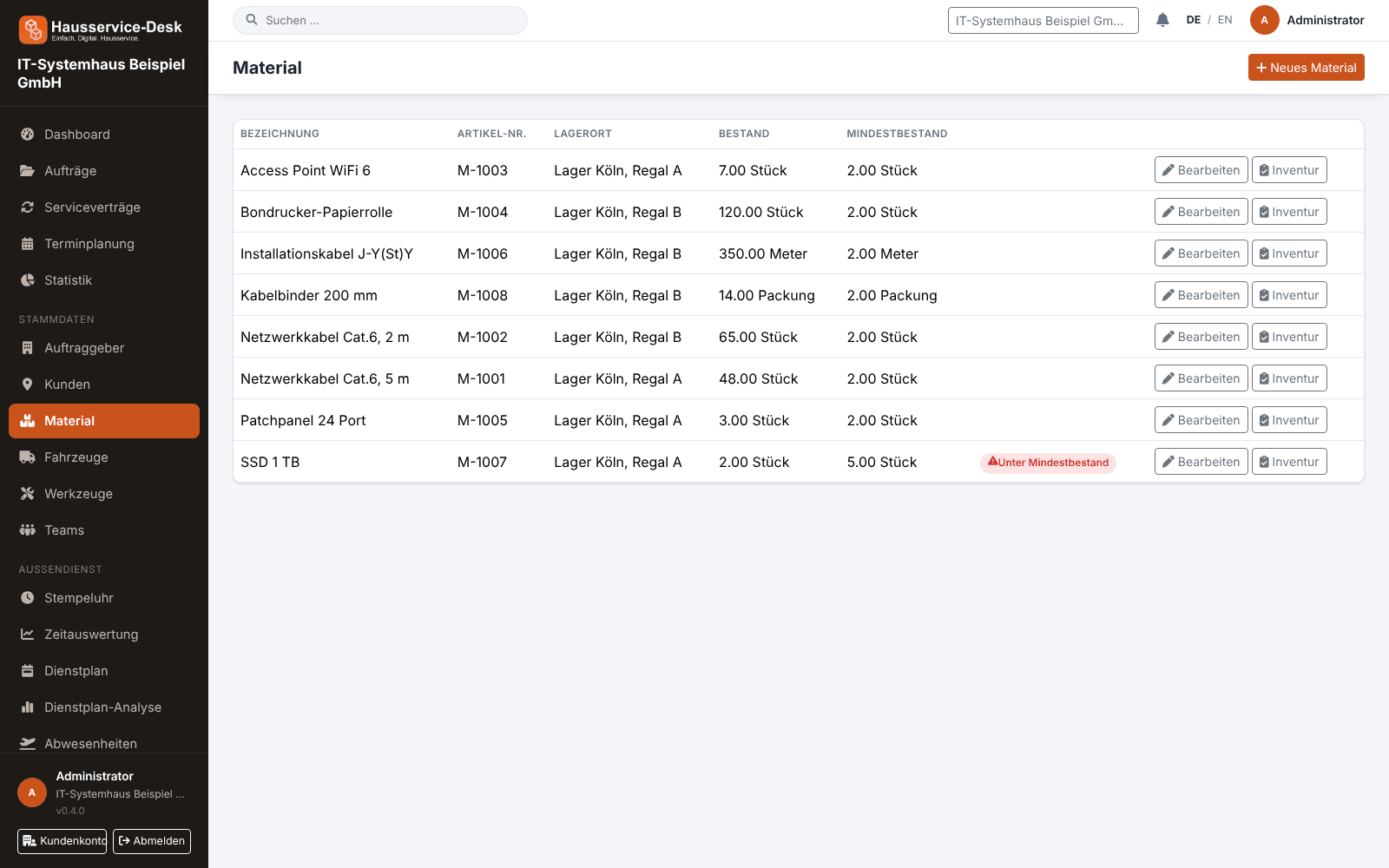
Views with sample data.
What AuftragsDesk does for you
Stock and minimum stock
Maintain items with article number, storage location, unit, stock and minimum stock. Stock below the minimum is flagged.
Book consumption to orders
Book consumed material directly to the order. Stock decreases automatically, and the consumption stays traceable on the order.
Stocktake
Correct stock after a count: the counted actual stock replaces the previous stock.
Vehicles with deadlines
Record license plate, mileage and dates for inspection, service and insurance, and assign vehicles to employees.
Tools and inspection deadlines
Manage tools with inventory number, assignment to an employee or vehicle and the next inspection date, for example per DGUV V3.
Reminders
Notifications point out due inspection deadlines and stock below the minimum.
How it works day to day
Set up master data
Record material, vehicles and tools with stock, license plates and deadlines.
Book in daily work
Book consumption on the order, assign vehicles and tools to employees.
Keep deadlines in view
Use reminders and correct stock by stocktake when needed.
Frequently asked questions
Which units can I use for material?
You maintain the units yourself, for example pieces, meters or liters, and can add new units while creating an item.
Are material, vehicles and tools included in every plan?
Which modules are included depends on the plan. You will find the current overview on the home page under “Pricing”.
How am I reminded of deadlines?
AuftragsDesk creates notifications for due inspection deadlines and stock below the minimum, which you see in the app.
More solutions
Job management
Control orders, customers, documents and material in one place, from intake to billing.
Time tracking
A digital time clock right on the order, with breaks and reports per employee.
Installation report
Photos, hours and signature right on the order, as a PDF download.
Roster & scheduling
Shifts, appointments and absences in one plan, with planned-vs-actual comparison.
Service contracts
Maintenance and facility services on a fixed schedule, with subscription billing and direct debit.
App for technicians
Everything for the job on one page: contact, route, workflow and job report.
Staff management
Personnel file, leave account, working time account and deadlines for IDs and certificates in one place.
Ready to try it?
Register, choose the plan that fits your business and get started. Cancel monthly, no setup fee.